
CI#
Plotting tests#
A frequent frustration in testing is the reproducibility of the plots and matplotlib’s behaviour in different environments.
We have some tooling to help with this.
Viewing plots from failed tests#
When a plot comparison fails, the check_same_image and plot_cmp fixtures copy the expected, actual, and diff images into pytest’s cache directory (.pytest_cache/d/debug).
Locally, the assertion message links to the originals directly, so you can just click the paths in the test output.
On CI, that directory is uploaded as an artifact named debug-data-{environment} (one per test environment in the matrix).
To get at it, open the Checks tab of your PR and select the CI workflow run:
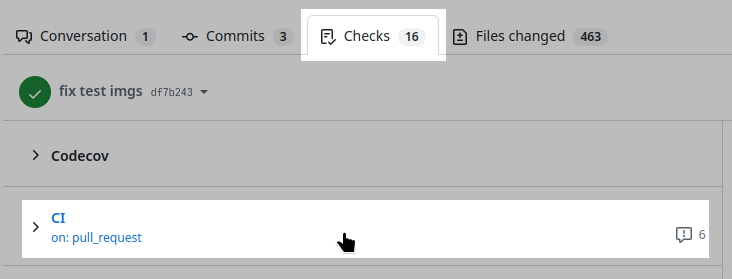
The CI workflow run in the Checks tab of a PR.#
Then scroll to the Artifacts section at the bottom of the run summary and download the artifact for the environment whose test failed:
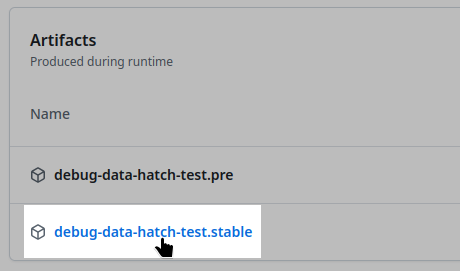
The Artifacts section, with one debug-data-{environment} entry per test environment.#
The downloaded archive mirrors the layout of the reference image directory, so a failing test shows up as
{matplotlib-version}/{test-name}/expected.png
{matplotlib-version}/{test-name}/actual.png
{matplotlib-version}/{test-name}/actual-failed-diff.png
If the actual image is the correct one, you can copy it over the reference image (see Plotting tests).
Misc#
matplotlib.testing.setup() tries to establish a consistent environment for creating plots. Make sure it’s active!